


Juniper Encrypted Password Crack 1
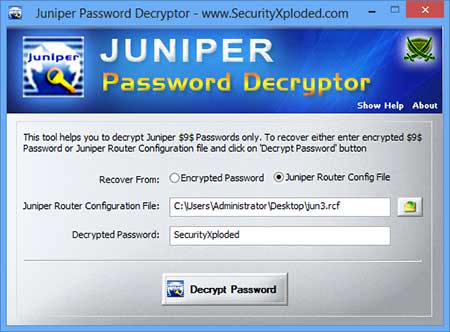
Belayet wrote: before configuring anything I set the root password (and committed) as below command: 1. Set system root-authentication encrypted-password nokia123. To crack a Juniper device hash you will need the hash itself, the username associated to the hash, and access to John The Ripper. First add the hash or hashes to a text file on the server where JTR is located in the below format. Solved: Hi All, Does anyone know what password encryption algorithm is used in Junos configuration? Root-authentication { encrypted-password. Re: Password encryption algorithm in Junos? 12:36 pm For those that want to do password encryption using Java instead of Perl below find the Java code to encrypt both $1 and $9 passwords.
Rfid chip in drivers license ohio. Ohio boaters who want to visit Canada could use it.
Def makepass ( user, password ): middle = 'Administration Tools' s = '%s:%s:%s'% ( user, middle, password ) print s m = hashlib. Digest ( ) narray = [ ] for i in range ( 8 ): n1 = ord (m [ 2*i ] ) n2 = ord (m [ 2*i+ 1 ] ) narray. Append ( (n1 > 12 & 0xf p2 = i >> 6 & 0x3f p3 = i & 0x3f res + = b64 [p1 ] + b64 [p2 ] + b64 [p3 ] for c, n in zip ( 'nrcstn', [ 0, 6, 12, 17, 23, 29 ] ): res = res [:n ] + c + res [n: ] return res After looking through the code it is clear that there is a fixed salt of Administration Tools and a salt of the username(lines 2 and 3). The code then takes each 2 chars and adds the binaries together(lines 8-11) From this it creates 3 characters from the 16bits(lines 14-18) And finally is scatters the letters n,r,c,s,t & n onto the hash in specific places (lines 20 and 21) It’s worth noting that the letters nrcstn is actually Ne TSCRee N in reverse without the e’s 🙂 Using this code it was possible to write some new code to reverse backwards through the steps in order to go from a Netscreen hash back to the raw MD5 hash. Here’s the function for this.
Def reversetomd5 (knownhash ): # strip out nrcstn fixed characters clean = ' for i in [ 1, 2, 3, 4, 5, 7, 8, 9, 10, 11, 13, 14, 15, 16, 18, 19, 20, 21, 22, 24, 25, 26, 27, 28 ]: clean+ =knownhash [i ] # create blocks block = [ ] for i in xrange ( 2, 24, 3 ): p1 = b64. Index (clean [i- 2 ] ) p2 = b64. Index (clean [i- 1 ] ) p3 = b64. Index (clean [i ] ) block. Append (p1 >Descargar assimil portugues sin esfuerzo pdf. 8 n2 = i & 0xff md5hash+ = chr (n1 )+ chr (n2 ) return binascii. Hexlify (md5hash ) Using this function you are able to give it a Netscreen hash and you’ll get back the raw MD5.
C: cudaHashcat64.exe -m 20 netscreen.txt rockyou.txt cudaHashcat v1.01 starting.
How To See Encrypted Password
Hi Ricky, Junos actually does this by default - all passwords are stored in either encrypted or hashed format depending on their usage. You have to remember that some of these protocols use symmetric encryption and the router actually NEEDS to be able to decrypt the key in the config in order to operate the protocol. User authentication uses completely asymmetric encryption - eg: we don't care what the password is as long as the hash matches, so these can be one-way $1$ encrypted - the local box has a salt which it feeds into it's encryption algorithm of choice to generate and compare the hash of the user's password, thus never having to actually store it. Protocols like OSPF however need to transmit information across the network, which means both ends need a common way of decrypting the information, and one that isn't particularly processor intensive - thus the need for reversible/symmetric encryption (and storing keys in a reversible format). I hope this makes sense!
Recently I needed to find out information about a Juniper router password which is stored as a hash in the router configuration. Farpoint input pro v3.0.39-bean. The tricky part is while the password hash is technically a MD5 hash it is modified to make it unique and make it harder to crack. Luckily there is a way to crack the hash using JTR (John The Ripper) though it will require that you also have the username associated to the password as the username is used as part of the salt for the hash. Below there is first information on how to crack Juniper hashes which are the same as Netscreen hashes followed by more information about the hash itself. How To Crack Juniper Password Hashes: To crack a Juniper device hash you will need the hash itself, the username associated to the hash, and access to John The Ripper.
First add the hash or hashes to a text file on the server where JTR is located in the below format. JTR Juniper Router Hash Text File Format. Admin:admin$nDa2MErEKCsMcuQOTsLNpGCtKJAq5n The above hash was created using the netscreen.py file that is packaged with JTR which I will explain how to use below.
Rar Encrypted Password Crack
The username is admin and the password for the hash is QUESTIONDEFENSE. The above line should be added to a text file (in this example it was added to juniperhash.txt) which will then be passed to JTR to audit which is shown below. In this example we are going to use a tiny wordlist that we know includes the password for the above hash. Example Using JTR To Crack Juniper Router Passwords. Root @dev: /pentest /passwords /john # As you can see the password was cracked and provided as QUESTIONDEFENSE which is the correct password associated to the hash. Obviously it won’t be this easy to crack Juniper router passwords however it is possible and with time you should be able to crack them without issue. Create Juniper Hashes Using netscreen.py: There is a python script that comes with JTR called netscreen.py.